
Latest Version
Synology
General
Linux
Free
com.synology.synology-note-station
Report a Problem
More About Synology Note Station
An Independent Look at Synology Note Station for Linux
For professionals and creatives who need to capture ideas on the fly, the Synology Note Station Linux app offers a robust, self-hosted alternative to mainstream cloud notepad services. While many note-taking utilities lock you into their proprietary ecosystems, this platform leverages your personal setup to keep your thoughts, checklists, and documentation secure. In this review, we examine what makes the Synology Note Station Linux app a compelling choice for desktop productivity.
What Can You Actually Do With It?
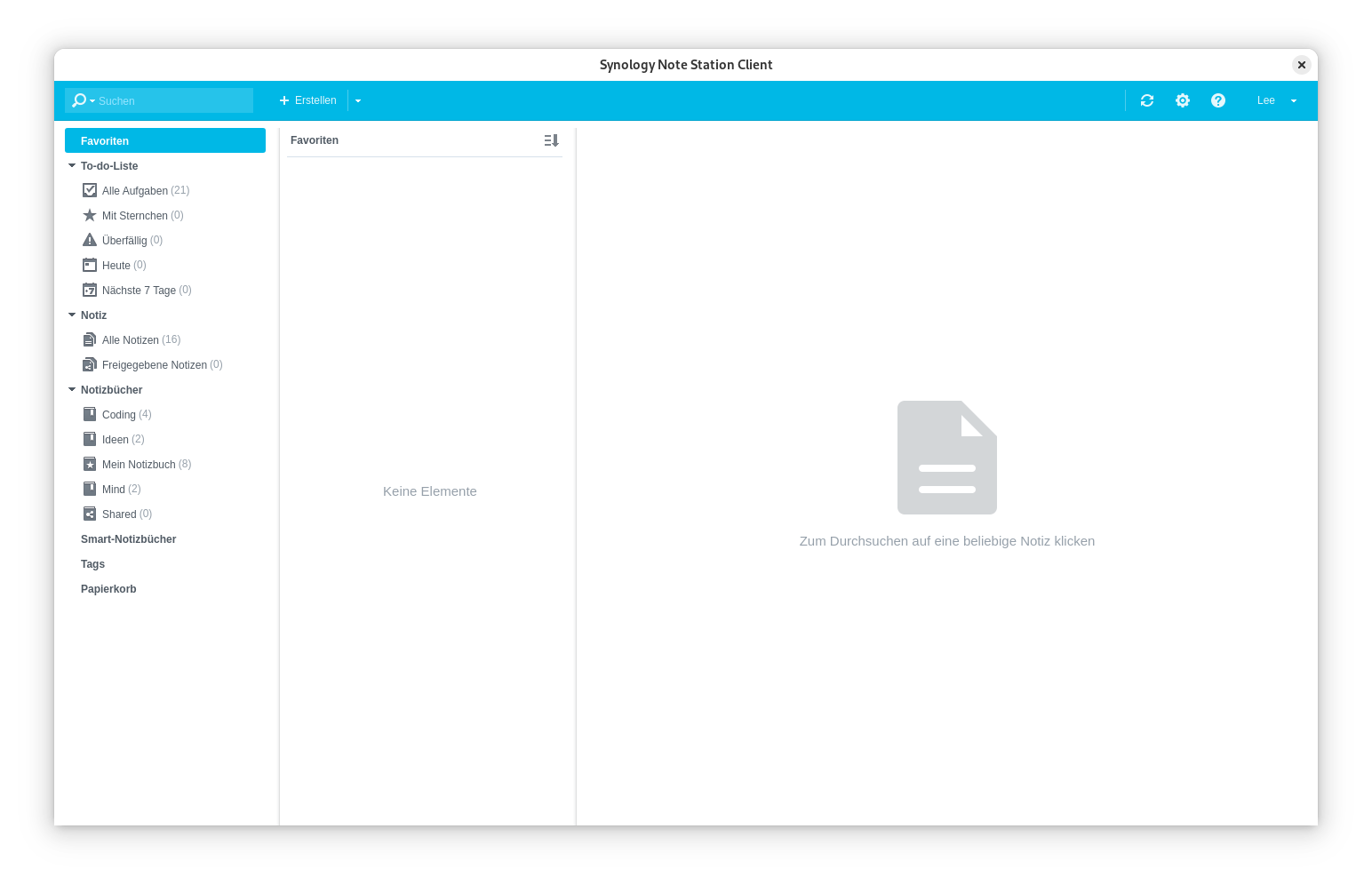
Whether you are managing a complex project or simply keeping track of daily chores, this application adapts to your workflow. It is designed to bridge the gap between simple text editing and complex project coordination by offering tools that go beyond basic rich-text formatting.
- Rich Text Editing: Create beautifully formatted documents with embedded media, tables, and structured headers.
- Task Management: Turn your notes into actionable items by adding to-do lists, setting due dates, and tracking your progress directly within the interface.
- Seamless Collaboration: Share notebooks and individual notes with team members to collaborate on documents in real time.
- Search and Organization: Use tags, nested notebooks, and a powerful search function to locate critical information in seconds.
Who Is This Productivity Tool For?
The Synology Note Station Linux app is ideal for users who already utilize Synology's hardware ecosystem and want to maintain absolute ownership over their data. It appeals greatly to privacy-conscious professionals, system administrators, and Linux developers who require a centralized repository for technical documentation, meeting minutes, and personal journals without relying on third-party cloud hosting.
Getting Started
Because this package functions as a convenient desktop wrapper for the Linux platform, it provides a native-feeling experience on your desktop, complete with system tray integration and independent window management. If you are ready to streamline your digital workspace, you can find more information and access the application via its official repository on the Flathub store page.
Rate the App
User Reviews









Popular Apps










Editor's Choice